
The screenshot you see is the result everyone wants: high Lighthouse scores for Performance, Accessibility, Best Practices, and SEO.
But those numbers are not magic. They come from doing a set of boring, repeatable things correctly.
This post shares the exact techniques we used in this project so you can copy the process.
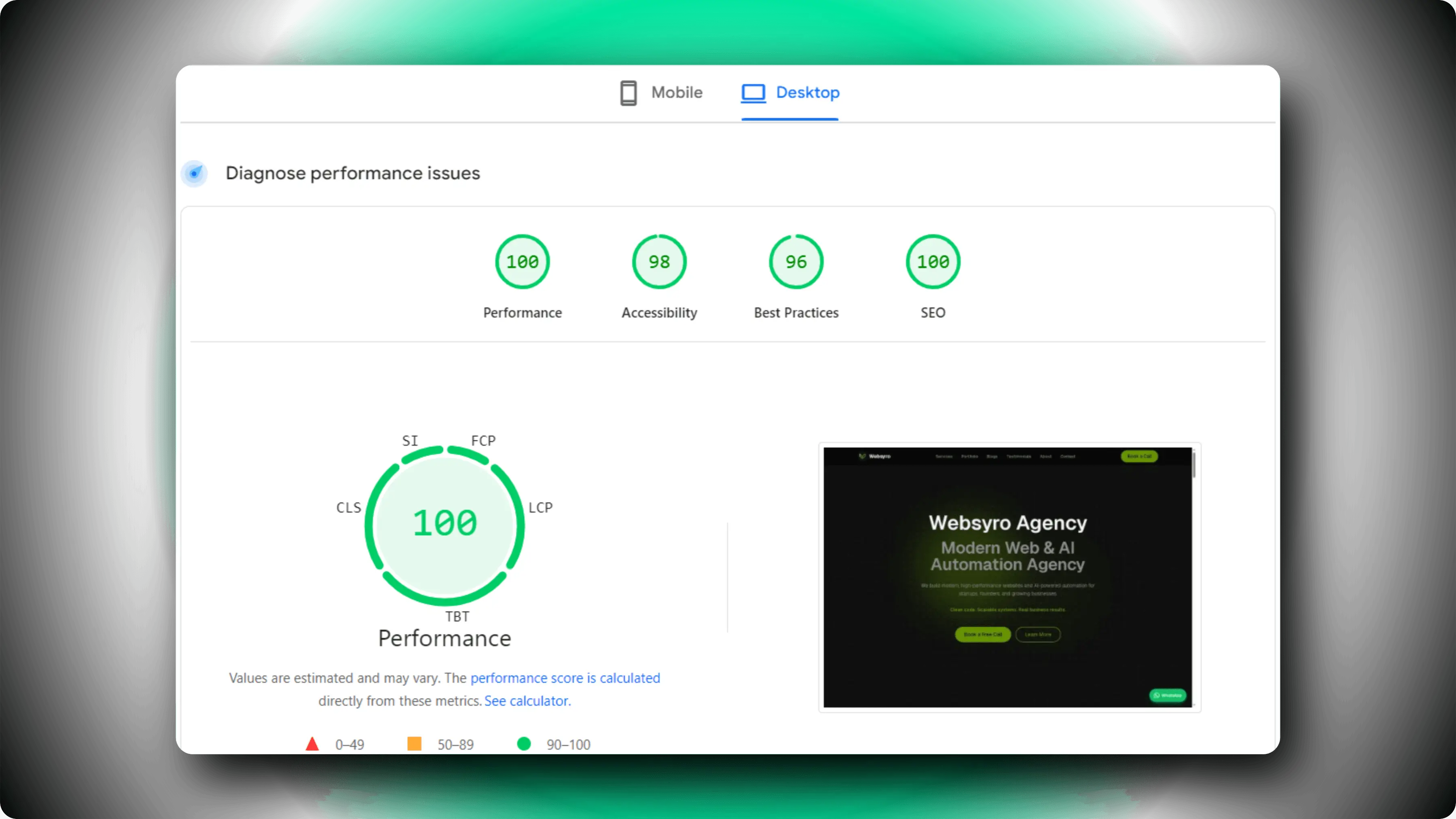
Lighthouse Scores
First: Understand What Lighthouse Is Testing
Lighthouse is not only one score. It is a bundle of checks:
- Performance: how quickly the page becomes usable
- Accessibility: keyboard, labels, contrast, semantics
- Best Practices: security and modern web practices
- SEO: indexability and page metadata fundamentals
Your goal is not chasing a number. Your goal is eliminating the common causes of slow or broken user experiences.
Our Actual Checklist (The Techniques We Used)
1) Ship Less JavaScript
The fastest site is usually the one that ships less code.
- Keep pages as server components by default
- Use client components only when required
- Avoid heavy UI libraries on marketing pages
Result: faster load and less main-thread work.
2) Control Scripts (No Random Third-Party Blocking)
Most performance drops come from analytics and third-party widgets.
Rules we follow:
- load only what is necessary
- defer non-critical scripts
- avoid running heavy scripts on every route
3) Images: Correct Size, Correct Format, Correct Priority
Images are usually the largest bytes on the page.
- Use modern formats (WebP/AVIF where possible)
- Set explicit width/height to avoid layout shift
- Prioritize the hero image (but only one)
- Compress aggressively without quality loss
Result: better LCP and lower CLS.
4) Prevent Layout Shift (CLS)
CLS is almost always caused by:
- images without dimensions
- fonts swapping late
- UI elements injected above content
Fixes:
- reserve space for media
- keep header height stable
- avoid late-loading banners that push content down
5) Fonts: Use a Stable Strategy
Fonts can easily become render-blocking.
Approach:
- use Next.js font optimization
- keep font families limited
- avoid loading too many weights
Result: faster first render and less shifting.
6) Real SEO Foundation (Metadata, Canonical, Robots, Sitemap)
SEO score usually becomes 100 when you do the basics consistently:
- unique title and description per page
- canonical URL on indexable pages
- correct robots rules
- sitemap that includes your real routes
Example sitemap for App Router:
// app/sitemap.tsimport type { MetadataRoute } from "next";export default function sitemap(): MetadataRoute.Sitemap { const baseUrl = "https://www.websyro.com"; return [ { url: baseUrl, lastModified: new Date() }, { url: baseUrl + "/blogs", lastModified: new Date() }, ];}Example robots rules:
// app/robots.tsimport type { MetadataRoute } from "next";export default function robots(): MetadataRoute.Robots { return { rules: [{ userAgent: "*", allow: "/" }], sitemap: "https://www.websyro.com/sitemap.xml", };}7) Structured Data (JSON-LD) Where It Helps
Schema does not guarantee rankings, but it improves clarity. We used JSON-LD for:
- Organization and WebSite on the root layout
- Article schema on blog detail pages
- CollectionPage and ItemList on blog listing
Example Article JSON-LD:
{ "@context": "https://schema.org", "@type": "Article", "headline": "How We Hit 100 Lighthouse Performance and SEO in Next.js", "author": { "@type": "Organization", "name": "Websyro Agency" }, "datePublished": "2026-02-23", "dateModified": "2026-02-23"}8) Accessibility: Easy Wins That Move the Score
Accessibility is not only a checkbox. It is usability.
What we ensure:
- buttons and links have clear labels
- interactive elements are keyboard reachable
- focus states are visible
- semantic headings are consistent
Even basic improvements can push the score from the 80s to the high 90s.
9) Blog UX Techniques We Implemented
For technical content, UX matters as much as speed:
- syntax highlighting and copy button for code blocks
- responsive tables with visible borders
- related posts for better discovery
- share dialog for distribution
This increases time on page and reduces bounce.
A Practical Workflow to Reproduce This Result
Use a weekly loop:
- Run Lighthouse in desktop and mobile
- Fix one performance bottleneck (LCP, CLS, INP)
- Audit one SEO template for metadata and canonicals
- Improve one UX detail (tables, code blocks, navigation)
- Re-test after each change
Consistency is how you keep scores stable across releases.
Common Reasons Scores Drop Later
- adding a chat widget on every page
- embedding large videos above the fold
- adding too many fonts or weights
- shipping new client-only components by default
- publishing pages without unique metadata
If you want 100-level scores, you must protect them like a budget.
Quick Recap
- Ship less JavaScript
- Control third-party scripts
- Optimize images and prevent CLS
- Use stable font strategy
- Implement sitemap and robots
- Add structured data where relevant
- Fix accessibility fundamentals
- Improve technical blog UX
That is how we achieved the Lighthouse result shown in the image.